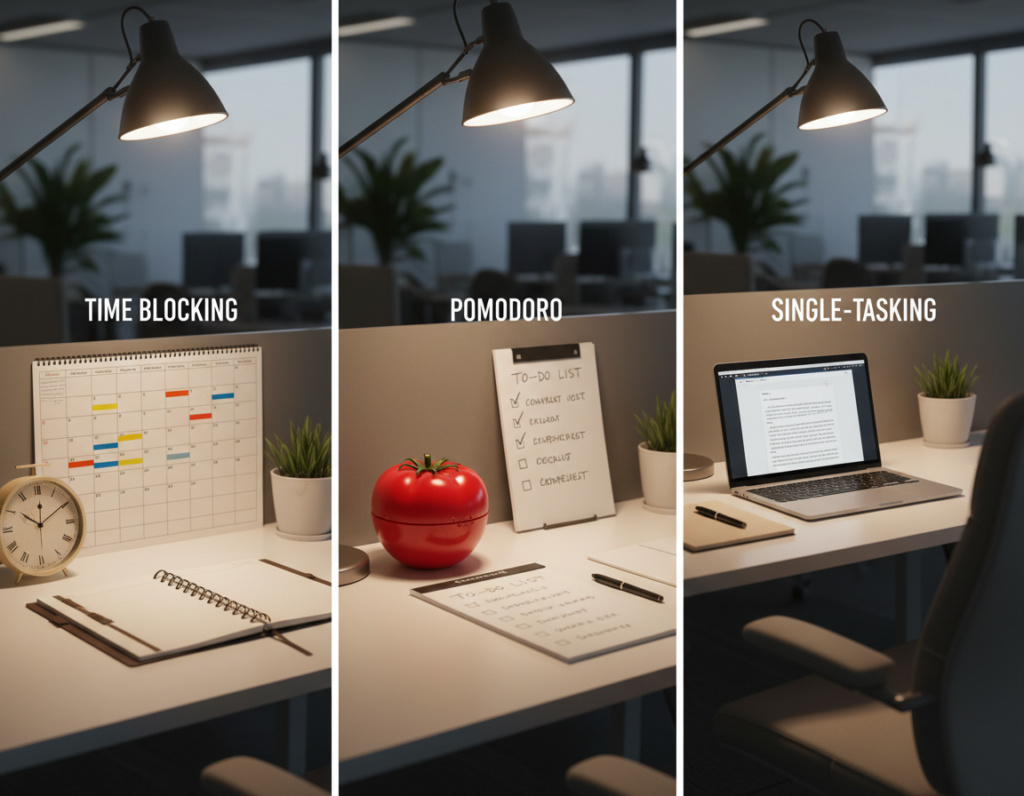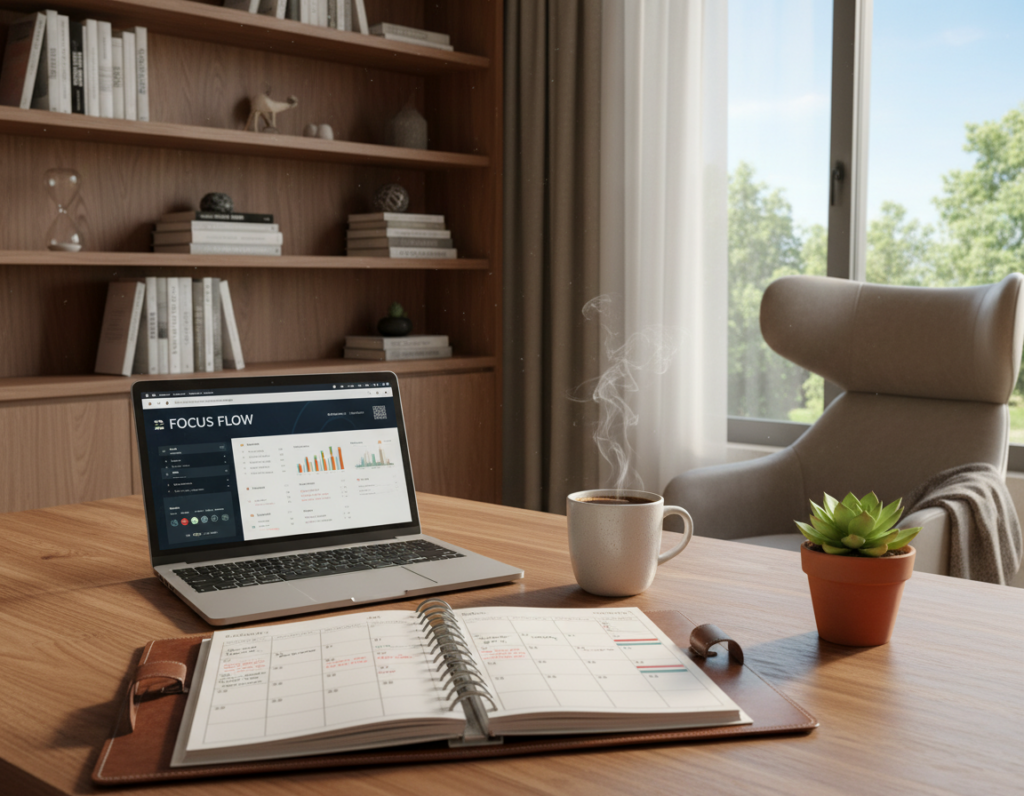
Promise: This article shares a future-proof set of systems that help busy people do the right work, not just more of it.
The goal is simple: teach routines that run on autopilot and beat willpower. Repeatable systems make actions automatic over time. That stops the trap of reacting to messages and endless tasks.
Here’s what “stick” means in practice: low-friction behaviors you repeat until they feel natural. You will learn how to structure your day, protect deep focus, cut digital distractions, and manage energy so meaningful work gets done.
Outcome: more high-impact work completed, less stress at day’s end, and better alignment with long-term goals. Each item includes a clear how-to so you can start right away.
Why habits beat motivation for productivity over time
Willpower spikes, then fades — systems do not. Motivation rises and falls with mood, sleep, and stress. A well-designed habit reduces the need for constant decisions and preserves mental energy.
Autopilot behaviors and why willpower isn’t enough
Autopilot shows up in small things. For example, walking to your usual parking spot even after you parked elsewhere proves automatic behavior often overrides intention.
That automaticity is useful when you design a cue → routine → reward loop. Repeatable cues cut the need for self-control, so people can act reliably under stress or fatigue.
How small daily effort compounds into long-term success
Short, consistent blocks of 20–40 minutes of focused work beat occasional all-nighters over weeks. Small wins add up and make progress visible — a key idea in Dan Sullivan’s “The Gap and The Gain.”
Build the long game: track tiny deliverables, celebrate them, and you’ll finish more things, miss fewer deadlines, and gain steady confidence.
- Core thesis: motivation fluctuates; routines scale.
- Practical setup: each upcoming section offers a specific habit you can start today.
Start the day with your highest-impact work
Your best attention belongs to the work that matters most—use it first. Choose 1–3 Most Important Tasks (MITs) each morning and do them before email, social, or news.
Define highest-impact work: these are the small number of tasks that move goals forward fastest, not busy admin that only feels urgent.
How to pick MITs
Translate goals into concrete items. For example, “publish landing page draft” is an MIT; “check analytics” usually is not.
Protect your early time
Reserve the first 60–90 minutes for your #1 MIT. This leverages fresh attention and creates momentum that carries through the day.
- Simple MIT method: pick 1–3 items and finish them before lower-value work.
- Avoid reactive mode: don’t start with inboxes or feeds—those set someone else’s agenda.
- Make it real: write your MITs on a visible list so you can’t negotiate with yourself when distractions arrive.
For practical examples and more on designing high-impact routines, see high-impact routines.
Use deep work blocks to protect focus
Create fixed blocks in your calendar that signal your brain it’s time for serious, focused work. Deep work is uninterrupted, cognitively demanding work that produces high-value output and can’t be done while half-distracted.
Schedule deep work at a consistent time
Turn deep work into a regular routine by putting it on the calendar. A consistent start time reduces friction and decision fatigue.
- Blocks: aim for 60–120 minutes per session.
- Ramp up: if attention is weak, start with 30–45 minute blocks and add time each week.
- Best slot: many people do this in morning hours when energy is highest.
Get comfortable with boredom instead of chasing stimulation
Resist the urge to check something at the first sign of slow progress. That craving is usually a learned response, not a real need.
Practice: when you feel restless, breathe, keep working, and let your brain adapt to sustained effort.
Become harder to reach during focus hours
Set clear boundaries so interruptions drop. Use short scripts and set expectations for response times.
- Announce “focus hours” and list your available office hours.
- Require context in messages: ask senders to include agenda, desired outcome, and deadline.
- Use auto-responders or status updates to redirect urgent issues.
Outcome: fewer errors, faster completion, and higher-quality work in less calendar time. For a practical approach to planning these sessions, try a deep work schedule.
Stop multitasking and build a mono-tasking routine
Switching constantly between windows wastes the most reliable resource you have: time.
Most “multitasking” at a computer is rapid context switching. That shifting costs attention and accuracy.
Why context switching tanks efficiency and accuracy
Research shows interruptions force a re-orientation that can take about 15 minutes and cut efficiency by up to 40%.
Frequent switching increases mistakes and hidden rework. That silent loss erodes real progress.
How to keep one task on your screen and in your brain
- Full-screen the current document and close unrelated apps.
- Limit on-screen tabs to only the resources needed for this task.
- One task, one window, one clear outcome—then stop before moving on.
Between tasks, reset attention: stand, breathe, sip water, then begin the next item cleanly.
Mono-tasking is a trainable habit. It may feel boring at first because your brain expects constant stimulation. Stick with it and you will reclaim lost time and higher-quality work.
Write a short daily to-do list that you can actually finish
A short, finishable list wins the day when your schedule gets crowded. Long “everything” lists push high-value items down and make you pick the easy, urgent stuff instead of what moves your goals forward.
Keep it specific, achievable, and limited to today
Contrast: a master list holds ideas and future work; a daily list is built to finish. Limiting the list to what fits the available time prevents false urgency and keeps planning separate from execution.
Include at least one high-impact task every day
Criteria for a strong daily list: use specific verbs, measurable outcomes, and a realistic number of items for the day. Require one high-impact task every day so progress toward long-term goals stays steady.
- Specific verbs: “draft,” “call,” “review.”
- Measurable outcomes: “finish 800 words,” “send proposal.”
- Realistic load: 3–7 items based on available time.
Example and estimation guidance
- MIT: Draft landing page copy (60–90 min)
- Support: Review analytics and notes (30 min)
- Support: Reply to three priority emails (20 min)
- Admin: Quick billing update (15 min)
- Shutdown: Plan tomorrow and close work (10 min)
Assume tasks take longer than expected and protect blocks of time. A short list reduces decision points, keeps attention on execution, and improves overall productivity. Make this a daily routine to keep momentum every day.
Number your tasks in the order you’ll do them
Give each item a number and you convert a list into an action sequence you can follow. Numbering removes negotiation and makes the plan for your day obvious.
Turn your list into a simple execution plan
Why ordering matters: an unnumbered list invites avoidance. A numbered list creates a commitment to sequence and lowers the chance you’ll skip the hardest item.
Choose the order by putting highest-impact work first, then supporting tasks, and leaving reactive items like messages and admin for last. This structure protects your best time for deep work.
Use breaks between tasks to reset attention
Build micro-breaks of 2–5 minutes between tasks. Short resets—refill water, stretch, or step outside—restore energy without letting your mind drift into scrolling.
If a task overruns, pause, note the next step, and move on. That prevents a single task from consuming the whole day and keeps your plan intact.
- Order: MIT first, support tasks next, reactive items last.
- Overruns: pause, capture the next action, continue the sequence.
- Breaks: 2–5 minutes—walk, breathe, or get fresh air; no screens.
Consistency wins: running the same routine trains your brain to start faster, transition cleaner, and keep steady focus across the workday.
Plan tomorrow the night before to save time and mental energy
Spend five minutes tonight to decide what matters tomorrow and reclaim morning focus. This simple shutdown ritual turns an open-ended day into a short, actionable list so you can stop dwelling on unfinished tasks at the end of the day.
Reduce end-of-day stress and stop working late
Write tomorrow’s MIT plus 2–5 supporting tasks before you close your laptop. A clear list lowers mental load and reduces the urge to extend work into the evening.
Start faster the next morning with less “procrast-planning”
When you arrive at your desk, begin with task #1 instead of spending the first hour deciding what to do. That saved time converts to more high-quality work without longer hours.
- MIT for tomorrow
- 2–5 supporting tasks
- First next step for each item
Tip: keep the list visible on your desk or a printed page. This habit preserves decision energy for real work and makes starting the day easy. Over time, faster starts mean better use of your time and less stress at the end of the day.
Use a distraction list to capture shiny ideas without losing momentum
When a bright idea interrupts your flow, capture it quickly so momentum stays intact. This “parking lot” is a short list you keep beside your main plan.
Write it down now, decide later. The rule is simple: note the idea and keep working. This reduces anxiety about forgetting and stops impulsive task switching.
How to sort the captured items
Use four categories:
- Do today — only if truly urgent for the current day.
- Do tomorrow — add to tomorrow’s short list if it helps next-day flow.
- Schedule — put on the calendar or task system for a future time.
- Delete — discard things that are not worth your time.
Practical examples and rhythm
Example items: “update About page” → schedule; “research new tool” → do tomorrow or schedule; “reply to non-urgent message” → do tomorrow or delete if irrelevant.
Review the distraction list once per day at a fixed time. The result: fewer rabbit holes, longer deep work blocks, and clearer control over what enters your day and time.
Set social media boundaries that reduce daily distractions
Social feeds are engineered to grab your attention and keep it moving. They use variable rewards and constant novelty, which fragments the mind and pulls you into reactive checking.
Delay social media until after your high-impact work
No social media until your top task is done. Start the day with focused work so the morning is proactive, not reactive.
Batch social media to once per day to protect attention
Limit media use to a single, defined window each day. Batching cuts switching costs and keeps deep blocks intact.
- Make checking intentional: log out on desktop, remove shortcuts, or enable app limits to add friction.
- Turn off badges and pings—reducing notifications lowers the urge to interrupt focus.
- Example schedule: deep work first, admin in midafternoon, social media window late afternoon or early evening.
This is not zero media. It’s a simple way to use social intentionally so your work wins the best time and your attention stays under control.
Batch email so your day isn’t run by your inbox
Let your inbox serve you, not steer you through the day. Checking email first thing pushes you into reactive mode and fragments your best attention. Schedule email checks instead and protect focused work in the morning.
Check emails later in the day instead of first thing
Move your first inbox session until after you finish one high-impact task. This simple shift prevents morning rabbit holes and keeps your priorities intact.
Limit inbox time by checking at set times
Choose fixed times: once per day for many roles, or two set times for high-contact positions. Use a strict time box—decide how many minutes you’ll spend and stop when it ends.
Reduce back-and-forth by sending clearer, more complete emails
Write better messages: include context, the decision needed, bullet-pointed questions, and two proposed meeting times. That single change cuts reply chains and saves hours across the week.
- Example: Agenda topics + availability + one clear call to action.
- Batching reduces interruptions, so more tasks get finished with less stress.
- Treat email as a tool, not the default driver of your day.
Make your phone less tempting during work hours
A single ping can unwind a solid hour of focused work in seconds. The phone is a high-frequency distraction device that turns small interruptions into big losses of time and attention.
Put your phone on silent and out of the room
Silence the device and move it to another room while you do deep work. Requiring physical effort to check the phone breaks the automatic reach-and-swipe reflex.
Out of sight removes the visual cue that fuels craving and stops the loop before it starts.
Turn off push notifications to break the dopamine loop
Disable non-essential push notifications and badges so pings no longer hijack your focus. Allow calls or texts from key contacts only.
- Problem: the phone turns into a constant invitation to stop working.
- Best action: silent mode + another room = largest impact on uninterrupted hours.
- Compromise: whitelist urgent contacts, block social and promo alerts.
Pick a short phone-check window later in the day so you won’t be tense all morning. Fewer interruptions mean fewer restarts and more high-quality work done in the same amount of time.
Close browser tabs to prevent rabbit holes
Every tab left open is a small invitation to get pulled away from your current work. That silent pressure builds over the day and steals small bites of time that add up.
Open only what the current task requires
Rule: for each task, open only the documents and tabs you need right now. Close everything else so you reduce temptation and preserve attention.
Open tabs act as visual cues to switch. Each cue increases the chance of a distraction and makes re‑orientation longer when you return.
- Complete the work → close tabs → take a quick reset break → open what’s needed for the next task.
- One task, one set of resources, one finish line: this links tab discipline to mono‑tasking.
- Example: write in one doc with a single reference tab instead of 18 research tabs that lead to rabbit holes.
Tip: use lightweight tools—reading lists, bookmarks, or a “save for later” extension—so you can store things without keeping tabs open.
Benefit: fewer distractions, less re‑orientation, and faster completion. With fewer open tabs you reclaim small pockets of time and finish more things each day.
Capture everything so your brain can think, not store tasks
Capturing every open loop lets you stop trying to remember and start making progress.
Why capture matters: David Allen’s Getting Things Done teaches that brains are for processing, not storing. When you record requests, ideas, and commitments the mind stops juggling open loops and frees attention for real work.
Create one trusted place for tasks, ideas, and commitments
Pick a single capture spot—not five apps and a dozen sticky notes. A consistent list prevents scattered notes and reduces anxiety about forgetting things.
Use a simple paper-based daily system to stay friction-free
Try a day-per-page notebook for daily to-do lists and quick capture. Paper has fewer clicks and fewer digital temptations, so planning takes less time and is less distracting.
- Division of labor: paper for daily execution; Google Calendar for appointments and time-specific commitments.
- Why it sticks: fewer steps, less setup, and minimal context switching.
- Example flow: new request arrives → write it down now → decide later during planning time.
Outcome: less mental clutter, faster starts, and fewer forgotten things. This simple habit makes it easier to focus and keeps your day under control.
“Your mind is for having ideas, not holding them.”
Prioritize with frameworks that improve time management
When time is limited, frameworks help you choose what matters and what to ignore.
Use the Eisenhower Matrix to sort work by urgent vs. important. Create four boxes and place each task where it belongs.
Action: delegate or automate items that are urgent but not important. Delete what you never act on. Protect the important but not urgent quadrant—this is where long-term goals and skill building live.
Apply the 80/20 rule
The Pareto principle shows that a small set of actions yields most results. Identify the 20% of tasks that create 80% of your impact and guard time for them.
- As decision tools: frameworks help you choose what not to do—a key way to sustain high performance.
- Example: in marketing, a few campaigns drive most leads; in writing, a few pieces drive most traffic—prioritize accordingly.
- Combine with MITs: pick your most important tasks from the “important but not urgent” box so long-term goals move forward every day.
Repeat this way of working. Prioritization is not a one-time fix. People who win long term use these frameworks daily to protect time for the things that truly matter.
Break big projects into small next steps you can start in minutes
Progress happens when you convert fuzzy tasks into one concrete, startable step. Big projects stall because uncertainty creates friction and that friction fuels delay more than laziness does.
The single next action method asks: what is the next physical step you can take right now? If the answer takes more than a few minutes, shrink it again until you can start in minutes.
Turn vague tasks into the single next action
Replace “write a productivity post” with “open a doc and write 10 bullet points for section 3.” That removes ambiguity and makes starting automatic.
Concrete examples: keyword research, outline headings, draft 200 words, or collect three quotes. Each is a clear step you can do this day with limited effort.
Build momentum by finishing tiny steps every day
Small completions lower resistance and build confidence. Finish one tiny step each day—even on busy days—to keep projects moving forward.
- Why projects stall: vague goals create decision paralysis.
- Two-minute test: if you can’t start in two minutes, the step is still too large.
- Routine: make one tiny finish a daily rule to turn effort into steady progress.
“Do the smallest possible next thing and momentum will follow.”
Productivity habits that keep your energy high all week
Energy, not time, often sets the real limits on what you can do all week. Treat energy as a resource you must manage alongside hours on the clock. Small routines protect energy and keep your schedule functional across long stretches.
Take structured breaks to sustain focus across hours
Use a repeatable pattern—25/5 or 55/5—to work for set blocks and rest briefly. These breaks preserve attention and prevent drift into long, unplanned interruptions.
Real breaks are movement, sunlight, hydration, or quiet. Avoid social feeds; they feel restful but keep the brain overstimulated.
Make fewer decisions to reduce decision fatigue
Cut trivial choices—simplify meals, clothes, and default routines. Barack Obama famously limited suit choices to stop wasting willpower on small things.
Plan for when things go wrong with if/then backups
Create simple contingency rules: If a meeting runs long, then I do MIT step 1 after lunch. These backups counter the planning fallacy and keep your day intact.
Say no to protect your schedule and your most important goals
Decline low-impact requests so deep work survives. Use clear language: “I can’t take that on this week; I can revisit next Tuesday,” or “I can help for 15 minutes, not an hour.”
- Frame energy as the hidden constraint on weekly success.
- Combine structured breaks, fewer trivial choices, and simple backups to build a resilient routine.
- Result: steadier focus, fewer midweek collapses, and better progress toward your goals.
Conclusion
Small changes to your daily routine compound into reliable progress if you protect your best time.
Start each morning with your highest-impact task so real work gets done before reactive demands arrive. Use one deep work block, close unrelated tabs, and keep a short capture list for stray ideas.
Batch email and social media into set windows so notifications don’t steer your day. Pick 2–3 practices to try this week: plan tonight, one focus block, and one inbox window.
Example rollout: week 1—nightly planning; week 2—fixed deep work; week 3—batch emails and social media; week 4—break projects into next steps. Small, steady effort will get things finished and protect long-term impact.