Anúncios
Creating a focused office starts with practical design choices. Small changes to desks, lighting, and noise control can make deep work more attainable. Lucy Milligan Wahl of LMW Edits notes that ergonomics and sound affect our ability to concentrate.
Jamie Fertsch, co-founder of Xdesk, reminds business leaders that true productivity means finishing tasks while caring for employee well-being. This balance keeps teams healthy and efficient.
Follow clear steps and simple tips to reduce distractions and save time. Design individual setups and shape company culture so the whole business benefits.
On this page you’ll find practical things to boost productivity and support sustained focus for employees. Use these ideas to build a workplace that delivers better results and better mental health.
The Impact of Environment on Workspace Productivity
Office design directly affects how employees focus, collaborate, and deliver results. Studies show that people in well-designed workspaces can be up to 20% more productive than those in poorly planned offices.
Anúncios
Your physical environment sets the tone for daily work. A professional space drives efficiency and makes it easier for a team to handle complex tasks.
- Comfortable layouts support employees and reduce fatigue.
- Balanced zones combine private focus with open areas for collaboration.
- Clear organization helps teams stay motivated and aligned with business goals.
When teams feel supported by their surroundings, they stay engaged and contribute more to company success. Small design upgrades often deliver measurable gains across the whole workplace.
Assessing Your Current Office Layout
Start by mapping how people move through your office during a typical day. Walk the floor at different hours and note where lines form, where desks cluster, and how long it takes to reach a meeting room.
Anúncios
Evaluating spatial flow
Look for clear paths that let employees travel without detours. Proper organization of zones helps teams find information and tools quickly.
Before signing a lease, verify there is room for private offices and communal areas. That prevents costly moves later and saves time for the whole business.
Identifying bottlenecks
Track where interruptions and crowding happen. Note if desks block walkways or if meeting spaces are too small for collaboration.
- Assess how desks and meeting areas align with daily tasks.
- Identify spaces that slow down work or block access to information.
- Plan for movement that reduces stress and supports deep focus.
Fixing layout bottlenecks early lets offices support both solo tasks and team interaction.
Ergonomics and Physical Comfort
Small physical adjustments can have a big effect on how well employees feel during their shifts.
An ergonomic environment creates healthier, more engaged team members. When an office supports posture and reduces strain, workers stay alert and make fewer errors.
Investing in good furniture is one of the clearest ways to boost results for your business. Comfortable chairs, adjustable monitors, and sit-stand desks cut fatigue and lower injury risk.
- Provide ergonomic desk chairs and adjustable equipment so each employee feels supported.
- Design the workspace to help workers remain comfortable for long stretches of focused work.
- Prioritize physical comfort to create a workplace where staff can tackle high-impact tasks.
Simple upgrades yield measurable gains. By reducing physical strain, your business protects health and helps employees do better work every day.
Eliminating Clutter to Reduce Stress
Clearing visual clutter lowers stress and helps people focus on real work. A tidy area reduces cortisol and makes it easier for employees to spend hours on high-impact tasks.
Daily maintenance routines keep desks and common areas ready for action. Small habits at the start and end of the day prevent piles of paper and stray tech from growing.
- Quick desk reset: 5 minutes to clear surfaces and stow loose items.
- Shared area checks: Tidy meeting rooms after every session to save time for the next team.
- Provide tools: File cabinets, trays, and charging stations help workers manage documents and tech.
- Limit visual noise: Keep personal items minimal so focus stays on work.
“Clutter in a workspace raises levels of cortisol, the stress hormone, impacting employee performance.” — Lucy Milligan Wahl
Maintaining a clutter-free office is one of the most important tips for reducing stress in your business. Organized offices look professional and help teams do their best work.
Strategic Resource Placement
Place tools and reference materials where people naturally pause, and you cut wasted minutes each day. This simple strategy helps a business run more smoothly and keeps teams moving without constant interruptions.
Kiryl Rudy of Studio57 notes that a convenient drawer unit or a well-placed shelf can directly influence an employee’s output. When desks and deskside storage align with daily tasks, employees spend less time searching for information.
Centralizing common items—staples, chargers, project folders—reduces stress and supports faster collaboration. It also encourages natural movement, which breaks long periods of sitting and improves focus.
- Place frequently used items in shared zones near meeting areas.
- Arrange desks so teams access reference materials without detours.
- Design office spaces that guide flow and limit interruptions.
“The way a desk is arranged can influence how employees move through their day.” — Kiryl Rudy, Studio57
Result: Organized resource placement creates a professional flow that supports daily goals and boosts overall productivity across the business.
Optimizing Natural and Artificial Lighting
Choosing the right mix of daylight and fixtures can cut eye strain and lift employee morale. Good light supports mood, alertness, and the overall health of people who spend long hours in an office.
Natural light benefits
Natural light improves energy and reduces depression, says the American Academy of Family Physicians. Teams exposed to daylight report better mood and sharper focus during the day.
Research in the Journal of Clinical Sleep Medicine links poor access to daylight with disrupted sleep patterns. That makes it harder for employees to recover and use time effectively at work.
Artificial lighting standards
Meeting basic lighting standards at every desk prevents glare and lowers visual fatigue. Choose adjustable task lamps and color temperatures that match daytime rhythms.
- Provide bright, even general lighting and focused desk lamps for detailed tasks.
- Use dimmable fixtures or layers of light to adapt to different spaces and times.
- Include lighting controls in tech plans so adjustments are quick and simple.
“Effective lighting can decrease depression and improve energy, mood, and alertness.” — American Academy of Family Physicians
Result: Maximizing natural light and meeting artificial standards creates a healthier office and helps your business maintain engaged, less stressed employees.
Incorporating Biophilic Design Elements
A simple layer of green in the office often yields clear gains for employees and for business outcomes.
Research backs this up: a University of Exeter study found that offices with live plants raised creativity scores by about 15%.
The Flower Council of Holland reported that 70% of people said plants improve the atmosphere in offices. That positive shift helps people feel calmer and more engaged at their desk.
Biophilic design is simple to add. Place small plants on desks, add potted greenery near meeting rooms, and use natural materials in shared spaces.
- Benefits: better creativity, reduced stress, and a healthier environment for employees.
- Plants make the space more inviting and show a business commitment to staff well-being.
- Greening offices is a low-cost way to support long-term focus and better work results.
“Adding live plants to a room can boost creative thinking and improve mood.” — University of Exeter
Creating Dedicated Zones for Deep Focus
Deliberate zoning gives teams distinct places to think, meet, and recharge.
Designate clear areas for heads-down work and for open collaboration. This helps a business reduce interruptions and keeps complex projects moving forward.
Private meeting spaces
Kiryl Rudy emphasizes that private meeting spaces are essential for brainstorming, client meetings, and quiet reviews.
When workers can step into a small room, they protect their time and produce higher-quality results. Quiet zones let employees manage the day and access sensitive information without distraction.
- Balance: mix open collaboration areas with private desks so teams can choose the best setting.
- Flexibility: include phone booths, small meeting rooms, and clear desk zones to support varied workstyles.
- Access to information: place reference boards or shared shelves near focus zones to reduce travel and interruptions.
“Provide private spaces for brainstorming and client engagement within a professional workspace.” — Kiryl Rudy
Result: Thoughtful zoning gives employees control over how they work. That control improves focus, supports collaboration when needed, and helps teams sustain momentum on priority projects.
Managing Technology and Tool Sprawl
Unchecked tool growth can quietly erode time and clarity across teams.
Managing technology and tool sprawl is essential for keeping your business running smoothly. Research shows 45% of workers find too many applications frustrating. Another 45% of organizations lack a standard way to share documents.
Streamline your stack. Prioritize integrated tech products that consolidate tasks. That reduces app switching and keeps employees aligned on priorities.
- Choose a few core products for communication, file sharing, and task tracking.
- Standardize document locations so team members spend less time searching.
- Train staff on the chosen tools and retire redundant apps.
Result: Fewer tools mean clearer roles and faster work. These practical tips help an office reclaim time and restore team focus.
“Effective management of your tech stack is one of the most important tips for businesses looking to scale.”
Implementing Asynchronous Collaboration Strategies
As teams spread across locations, clear asynchronous methods let work keep moving without constant calls. This approach reduces meeting load and gives employees more focused time to finish important tasks.
Centralizing project documentation
Centralized documentation—one single page or platform—keeps information visible and reduces duplicate requests. Lucid Software reports users see a 2.4x increase in productivity when visual tools manage daily work.
Store briefs, decisions, and status updates in one place so teams and workers can find what they need without interrupting others.
Reducing meeting frequency
Fewer live meetings cuts wasted time. Constellation Research found visual collaboration can shave meeting times by up to 33% and raise team output by 20%.
With 85% of leaders unsure about hybrid work performance, a clear async strategy helps your company trust results over face time. Use the right tech and set rules for when to meet live versus when to update a shared page.
“By reducing the need for live meetings, teams gain time for high-impact work.”
- Make a shared central page for each project.
- Set meeting rules: agenda, length, and clear outcomes.
- Choose visual tools that reduce status-check meetings.
Building a Culture That Supports Performance
Culture shapes daily choices more than any memo—small signals from leaders guide team behavior.
Building a culture that supports performance is essential for any business that wants to maximize its people. When leaders model clear values, employees know what to prioritize and why it matters.
Jamie Fertsch notes that productivity can be personal. A strong company culture encourages people to give their best effort and feel proud of their work.
- Align rituals and goals so every team member understands their role and how it links to company plans.
- Model expected behaviors from the top to shape daily norms and healthy collaboration.
- Recognize steady effort and clear outcomes to keep employees motivated and loyal.
“Investing in a supportive culture helps a business attract and retain the best talent.”
Result: A high-performance culture becomes the foundation of a stable business. It helps teams focus, reduces turnover, and supports long-term growth.
The Benefits of Flexible Office Arrangements
Offering varied work areas helps businesses match space to the changing demands of projects.
Flexible offices let a company occupy less square footage or extend support to telecommuting employees. That saves costs and keeps a firm agile as hiring and workloads change.
Attracting top talent
Top candidates often seek autonomy and modern offices. When a company offers choice, it signals that it values employee needs and modern career expectations.
- Scale with demand: Flexible spaces let businesses expand or shrink without major moves.
- Encourage collaboration: Diverse areas boost interaction and movement, which support better team work and higher productivity.
- Choice for workers: Employees pick desks or areas that suit specific tasks, improving focus and satisfaction.
Adopting flexible arrangements shows a business cares about well-being and staff needs. In competitive markets, this approach helps companies hire, retain, and engage the best teams.
Avoiding Common Design Pitfalls
Poorly planned offices create friction—more noise, more trips, and more wasted time.
Avoiding common design pitfalls is one of the most important tips for a business that wants to boost productivity and reduce employee stress.
Don’t overcrowd the floor. Too many items add visual clutter and break focus for staff. Clear circulation paths help people move without interruptions.
Balance open areas for collaboration with quiet rooms for important meetings. This balance protects heads-down work while keeping teams connected.
- Fix tech issues quickly so tools do not slow down daily work.
- Prioritize ergonomics to cut fatigue and long-term problems for employees.
- Plan storage to limit clutter and keep shared areas tidy.
Careful planning avoids these common mistakes and supports the whole business. For practical design errors to watch for, see office layout mistakes.
“A well-designed office ensures employees have what they need to perform at their best.”
Leveraging Visual Collaboration Tools
A clear visual map of a project saves time and keeps a team aligned on next steps.
Why visuals matter: Research shows 69% of workers rate visuals as extremely or very important for collaboration. For a business, that means visuals are not a nice-to-have — they are central to shared understanding and faster results.
Visual workspaces let teams map processes, store project information on a single page, and cut the need for long meetings. These products convert complex steps into easy diagrams that any worker can follow in seconds.
- Centralize project info so everyone finds updates without searching.
- Reduce meeting time by sharing a single visual page before live sessions.
- Use diagrams to show dependencies and handoffs in clear, visual terms.
“Visual tools let teams work smarter and keep momentum on priority goals.”
Tip: Explore integrated digital tools to bring visuals into daily routines and help your teams maintain context across spaces and tasks. For more on useful digital tools, see digital tools that boost efficiency.
Future Trends in Office Design
Offices are evolving into hybrid hubs that balance smart systems, wellness, and adaptable schedules.
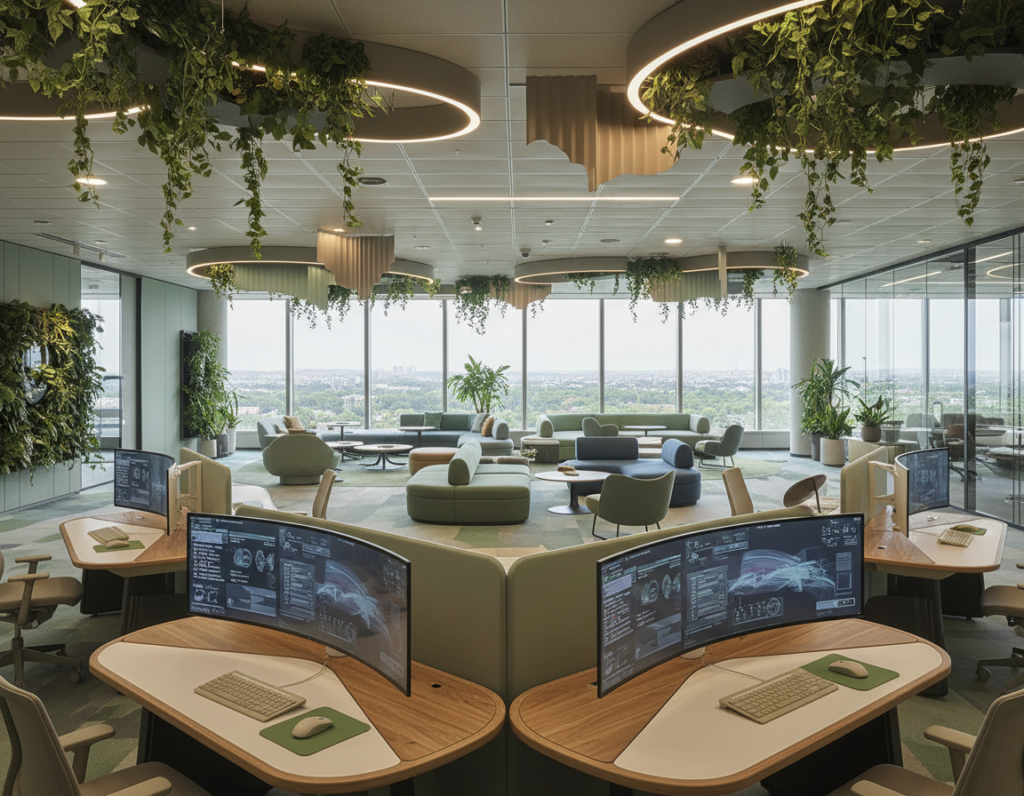
Hybrid models create flexible ways for employees to split time between home and the office. Companies that plan for this split save on square footage and give teams clearer choices about where to work.
Wellness-focused design—more natural light and ergonomic furniture—helps workers stay well during long hours. Businesses that invest here often see better morale and higher output.
- Smart office products automate room settings and simplify meeting setup.
- Design that supports seamless collaboration makes information flow faster across locations.
- Future-proof offices let a company adapt as teams and technologies change.
“Smart, health-forward offices are becoming standard expectations for any modern organization.”
Result: By staying ahead of these trends, businesses attract top workers, support team collaboration, and keep their organization ready for whatever comes next.
Conclusion
Simple design moves and clear rules can compound into big benefits for employees and leaders alike.
Use the tips on this page to reduce distractions, streamline meetings, and improve ergonomic setups. Each change helps your business run smoother and supports real, measurable gains in productivity.
The benefits of a well-planned office extend past looks. They make it easier for teams to do high-impact work and collaborate with purpose.
Keep refining layout and collaboration routines. Small, steady updates protect focus, support employees, and keep your business competitive for years to come.